Delta 757 200 Flight Factor Livery: A Complete Guide for Aviation Enthusiasts
The Delta 757 200 Flight Factor livery has become a favorite among flight simulation fans, aviation enthusiasts and virtual pilots who want to replicate Delta Air Lines’ classic fleet. Known for its sleek design and detailed textures, this livery enhances the realism of the Flight Factor Boeing 757-200 aircraft add-on in X-Plane.
Whether you are building your personal hangar, practicing flight routes or exploring aviation history, having the right Delta livery installed can transform your experience into something closer to real-world flying.
Understanding the Boeing 757-200 and Its Legacy
The Boeing 757-200 is a narrow-body twin-engine jetliner that has been a workhorse for many airlines since its first flight in the early 1980s.
Range: Approximately 3,900 nautical miles.
Seating capacity: 200–239 passengers, depending on configuration.
Engines: Typically Rolls-Royce RB211 or Pratt & Whitney PW2000 series.
Delta Air Lines has historically operated one of the largest 757 fleets in the world. The aircraft was used on both domestic and international routes which making it versatile and iconic. While some airlines have retired their 757 fleets, Delta continues to fly the aircraft, showcasing its reliability and efficiency.
What Is the Flight Factor 757-200 Add-On?
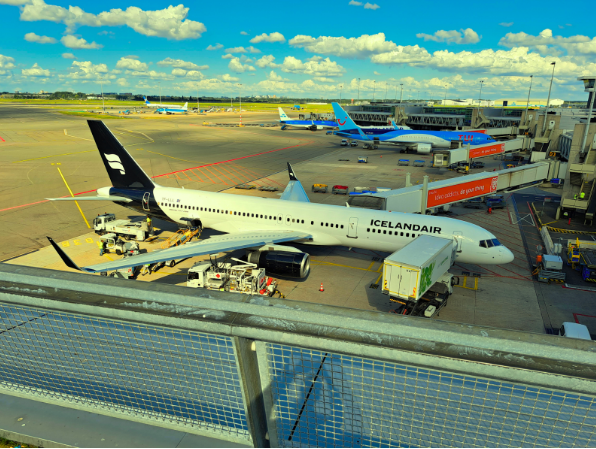
The Flight Factor 757-200 is a payware aircraft add-on for X-Plane, developed to provide a realistic simulation of the Boeing 757. It includes:
- Highly detailed 3D cockpit with functioning avionics.
- Accurate flight dynamics modeled on real-world data.
- System depth that mirrors real airline operations.
- Custom sound packs to enhance immersion.
Because the base model is so realistic, sim pilots often seek authentic liveries to pair with it such as Delta’s.
The Importance of Liveries in Flight Simulation
In flight simulators, liveries represent the visual paint schemes of real-world airlines. For Delta enthusiasts, the livery matters because:
- Authenticity: Flying with the correct paint scheme makes routes more immersive.
- Nostalgia: Many users replicate routes they’ve flown in real life.
- Community sharing: Screenshots, streams and virtual airline events often showcase liveries.
- Learning: Pilots training with liveries practice recognition of real-world airline branding.
Delta 757 200 Flight Factor Livery: Features and Details
When you install the Delta 757 200 Flight Factor livery, you get:
- High-resolution textures: Ensuring sharp logos, decals and details.
- Multiple Delta variations: From classic widget liveries to modern streamlined versions.
- Attention to detail: Door markings, wing decals, tail numbers and weathered paint textures.
- Performance-friendly design: Optimized files that balance quality and frame rates.
Step-by-Step Guide: How to Install the Delta 757 200 Flight Factor Livery
- Download the livery: Obtain it from a trusted source or livery library.
- Locate your Flight Factor folder: Usually found in X-Plane 11 > Aircraft > Flight Factor 757.
- Open the Liveries folder: Inside the main aircraft directory.
- Unzip the livery file: Extract the downloaded folder.
- Place the extracted folder into Liveries: Ensure the folder contains “objects” inside it.
- Launch X-Plane: Select the Flight Factor 757-200.
- Choose the livery: From the aircraft selection screen, pick “Delta.”
✅ Pro Tip: Always double-check folder nesting. The most common error is having duplicate folders inside each other.
Delta Livery Variations Available for the 757-200
Delta Air Lines has had several paint schemes over the decades. In the simulation community, you may encounter:
| Livery Style | Description | Time Period |
| Classic Widget | Red, white and blue stripes with the Delta widget logo. | 1960s–1997 |
| Interim “Ron Allen” Scheme | A more conservative design with dark blue and red cheatlines. | Late 1990s |
| “Colors in Motion” | Swirling colors on the tail, symbolizing global connectivity. | 2000–2007 |
| Current Modern Livery | Streamlined dark blue tail, red widget, clean fuselage. | 2007–Present |
This variety allows sim pilots to fly retro routes or modern-day schedules.
Why Sim Pilots Love the Delta 757 200 Livery
- Versatility: Perfect for both short domestic hops and transatlantic flights.
- Historical accuracy: Delta’s massive 757 fleet makes this livery a staple.
- Community favorite: Frequently used in online flying events.
- Visual appeal: The sharp contrast of Delta’s branding stands out beautifully in-game
Tips for Enhancing the Delta 757-200 Flight Factor Experience
- Use Real-World Flight Plans: Websites like FlightAware can help you replicate actual Delta routes.
- Pair with Delta Scenery: Flying into hubs like Atlanta (ATL) or Minneapolis (MSP) makes it even more authentic.
- Add Weather Engines: Tools like Active Sky XP enhance realism with real-time weather.
- Check Out Our Tool: For better route planning and optimization, use our tool to save time and fly more efficiently.
- Join Virtual Airlines: Many Delta-themed virtual airlines host events where this livery is the standard.
Troubleshooting Common Issues with Delta Liveries
- Problem: Livery not showing up in X-Plane.
- Problem: White textures appear.
Fix: Ensure you extracted the files correctly and no missing textures exist. - Problem: Livery doesn’t match real-world accuracy.
Fix: Look for updated or alternate versions uploaded by community creators.
Frequently Asked Questions (FAQs)
1. What is the Delta 757 200 Flight Factor livery?
It is a custom texture package that replicates Delta Air Lines’ paint scheme for the Flight Factor 757-200 add-on in X-Plane.
2. Is the Delta livery free to download?
Many liveries are free from community websites, though premium designers sometimes offer enhanced versions for purchase.
3. Which Delta livery is the most popular?
The modern livery with the dark blue tail and red widget is the most commonly used, though retro fans love the classic widget design.
4. Can I install multiple Delta liveries at once?
Yes. You can keep several livery folders inside the Liveries directory and switch between them.
5. Does the livery affect performance?
Not significantly. High-resolution liveries may use more VRAM but most are optimized to balance visuals and performance.
6. How do I know if my livery is compatible with Flight Factor updates?
Check the livery’s description. Some updates require slight adjustments but most liveries remain functional.
7. Can I use the Delta 757 200 livery in X-Plane 12?
Yes, though some liveries may need small tweaks for lighting and reflections to look perfect.
8. Is it possible to edit or customize Delta liveries?
Absolutely. Using Photoshop or GIMP, you can modify tail numbers, add wear-and-tear effects or adjust colors.
9. Do virtual airlines require specific liveries?
Some do. Delta-based virtual airlines often require official fleet packs which include standardized Delta liveries.
10. Where can I find reliable Delta livery downloads?
Trusted platforms include the X-Plane.org forums, ThresholdX and Avsim library. Always check reviews and screenshots before downloading.
Conclusion
The Delta 757 200 Flight Factor livery is more than just a paint scheme it’s an immersive experience that brings virtual aviation closer to reality. With its detailed textures, historical variations and community support, it remains a must-have for flight sim enthusiasts who love Delta Air Lines.
If you want to take your flying to the next level, download a Delta livery, plan real-world routes and enhance your setup with tools that optimize your flights. The combination of realism, history and visual appeal makes the Delta 757-200 a timeless classic in both real and virtual skies.
- Flight Dispatcher Job Opportunities A Complete Career Guide
- Flight Route From New York To Hong Kong A Complete Guide
- Flight Time From Lax To London Heathrow Everything You Need To Know
- Food Review American Airlines Savory Snack Mix